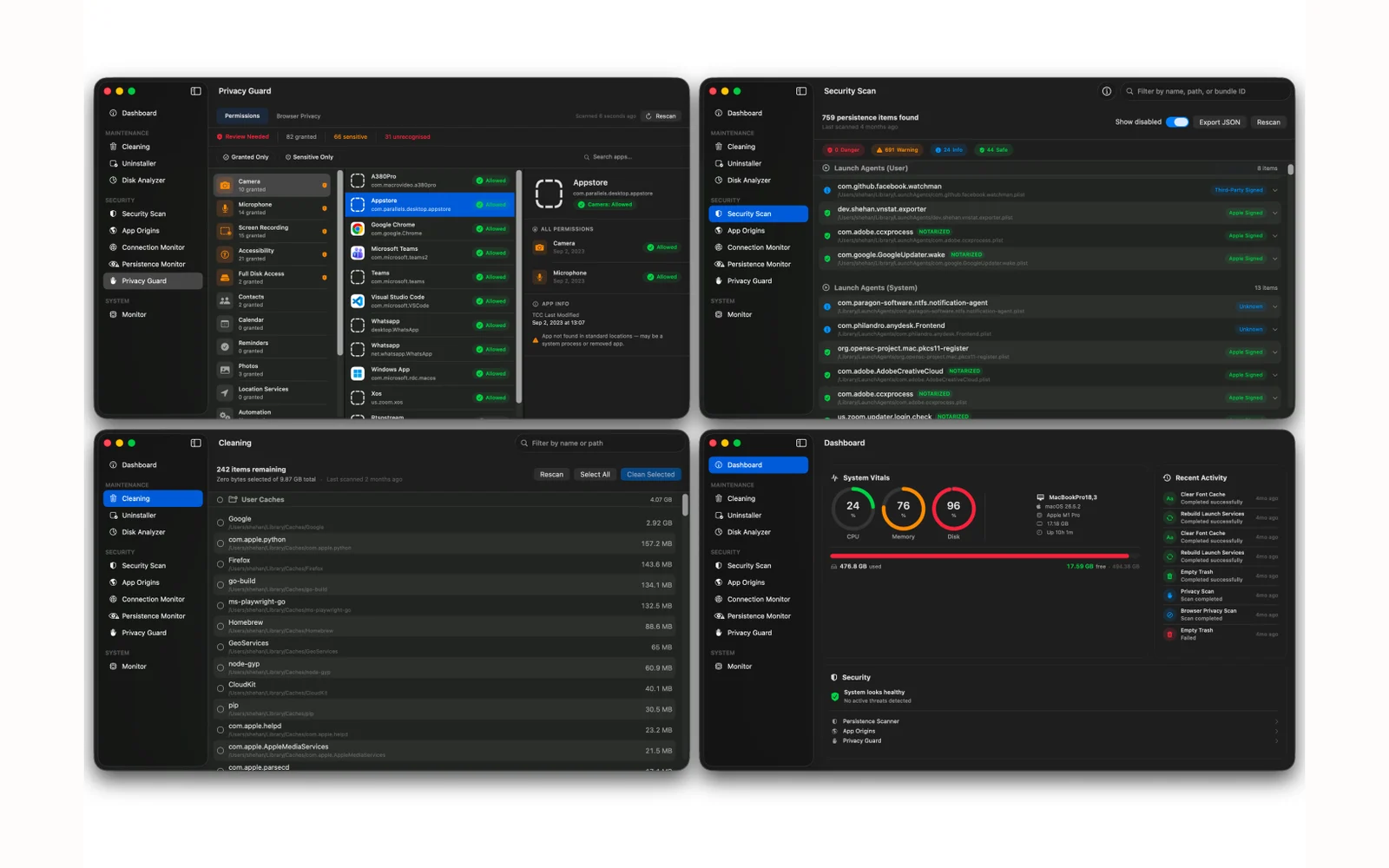
Every Mac cleaner I tried wanted a subscription, and every security tool I trusted did exactly one thing. So I built one app that does both halves: reclaim disk space and uninstall software properly, then show what is really running — what starts itself at login, what is talking to the internet and where, and which apps hold camera and microphone access. The rule I held it to is that it can never be the thing that breaks your Mac. Nothing is deleted, only moved to Trash; system folders are refused outright; and a preview mode shows the entire plan before anything moves.
What it does
- Finds reclaimable space across caches, logs, browser data and forgotten build folders — and skips anything belonging to an app that is currently open
- Uninstalls an app along with the eight or so places it quietly leaves files behind, instead of moving the icon to Trash and calling it done
- Draws disk usage as a treemap you can click into, so a hundred wasted gigabytes has a shape rather than a number
- Lists everything that has arranged to start itself automatically — seventeen different places macOS allows that — and checks each one against Apple’s signature records
- Shows each running app’s live network connections with the country on the other end, and audits which apps hold camera, microphone and screen-recording permission
- Live CPU, memory, network and battery readouts with a rolling minute of history
- Built with no third-party code at all, so nothing in it phones anywhere I did not choose